How to Write a Bio for Instagram That Gets Follows and Clicks (2026)
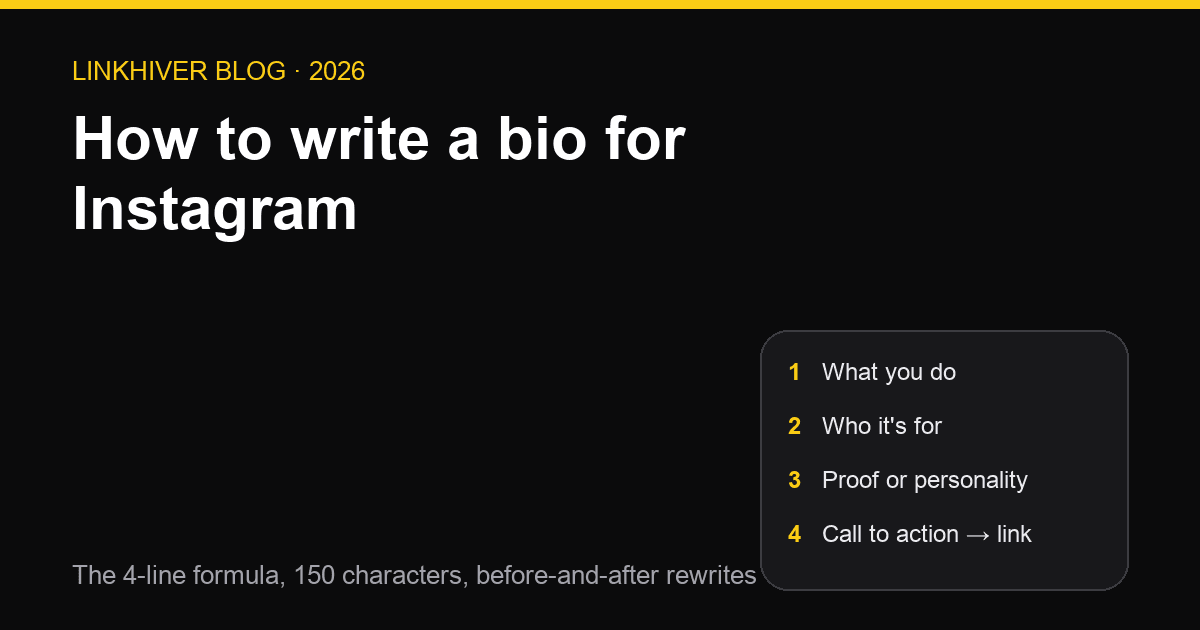
You get 150 characters and about three seconds. Here is the exact method for writing an Instagram bio — line by line, with before-and-after rewrites and a checklist you can run in a minute.
Contents
Someone lands on your profile. They read your bio, glance at your last nine posts, and decide: follow, tap the link, or leave. You get 150 characters to influence that decision.
Most bios don't try. "Living my best life ✨" or "Just here for the vibes" tells a visitor nothing about who you are, who you're for, or what to do next.
This is a step-by-step guide to how to write a bio for Instagram — the method, not the list. If you want bios to copy, we have 320 of them sorted by style. If you want ready-made drafts for your niche, the free Instagram bio generator writes them in seconds. This post is for writing your own — one that could only belong to you — and it works whether you're a photographer, a bakery, a coach, or a person with a private account and strong opinions.
What Instagram actually gives you
Before you write a word, know the fields. Half of what people cram into their bio belongs somewhere else, and moving it out is the easiest way to free up characters.
- Name (64 characters). Separate from your username, and searchable. "Maya Chen · Wedding Photographer" in the name field means people searching "wedding photographer" can find you. This is the single most under-used field on Instagram.
- Username. Your handle. Short, spellable, consistent with your other platforms.
- Bio (150 characters). Everything counts: spaces, emojis, line breaks.
- Category label. On a professional account, a label like "Photographer" or "Bakery" shows under your name. Once it's there, you don't need to repeat it in the bio.
- Pronouns. A dedicated field, so they don't need a bio line either.
- Links (up to 5). Instagram shows the first one on your profile and tucks the rest behind a tap — more on why that matters in step 8.
- Contact buttons. Email, phone, address and directions for professional accounts. Your bio should not contain an email address in 2026.
Instagram's own Help Center documents each of these fields and is where to check if one looks different in your app.
Rule of thumb: if Instagram has a field for it, use the field. Your 150 characters are for what no field can hold — why someone should care.
Step 1 — Decide the bio's one job
A bio can ask for one thing well or four things badly. Before writing, pick the single action that matters most right now:
- Follow — you're growing an audience and content is the product.
- Tap the link — you sell something, book clients, or publish elsewhere.
- Send a DM — you take custom orders, collaborations, or enquiries.
- Visit — you have a physical location.
Your last line will point at that action. Everything above it exists to earn it.
Step 2 — Line 1: what you do, in the words people search
The first line answers "what is this account?" in one glance. Lead with the noun someone would actually type into search, and be specific.
Weak: 📸 Capturing moments
Strong: 📸 Wedding photographer · Austin, TX
Weak: Fitness enthusiast 💪
Strong: 💪 Strength coach for runners over 40
The specific version does two jobs. It tells a human what you do, and it contains the keyword Instagram search matches on. "Photographer" ranks for nothing; "wedding photographer Austin" is a search someone makes.
If your category label already says "Photographer", you can spend line 1 on the specialism instead: Weddings & elopements · Austin, TX.
Step 3 — Line 2: who it's for, or what they get
Line 2 turns "what you do" into "why I should care". Name the audience or name the payoff.
Helping first-time founders ship in 90 daysSourdough for people who've killed three startersWeeknight recipes, 30 minutes, no special pansHonest skincare reviews · dry & sensitive skin
The narrower the audience, the stronger the pull for the people in it. "Recipes for everyone" is for no one. "Weeknight recipes for tired parents" makes a tired parent stop scrolling.
Personal accounts skip the audience and use this line for what the account is about: Mostly dogs, occasionally hiking, always coffee.
Step 4 — Line 3: proof or personality
Line 3 is the credibility line. Pick one of two modes:
Proof — a number, a credential, a name people recognise:
200+ weddings since 2018Featured in Bon AppétitCertified strength & conditioning coach
Personality — one line that sounds like you and no one else:
Chaotic good, mostly caffeinatedSerious about pastry, silly about everything elseOverthinking so you don't have to
Use real numbers only. Rounded-up follower counts and vague "award-winning" claims read as filler, and the people who'd be impressed are the ones most likely to check.
If you can't decide between proof and personality, ask what your line 1 lacks. A serious, professional line 1 benefits from a human line 3. A playful line 1 benefits from proof.
Step 5 — Line 4: the call to action that points at the link
The last line tells people what to do, and it should point at the link directly below it.
Book a session ⬇️New recipes every Sunday · start here 👇Shop the collection belowDM "MENU" for this week's bakes
Two rules:
- Match the job from step 1. If the bio's job is "tap the link", the CTA names what's behind the link — "Free guide", "Portfolio", "Shop" — not "click here".
- Name the destination, not the mechanism. "Link below ⬇️" is better than a bare URL, and "Free 5-day plan below ⬇️" is better than "link below".
Step 6 — Cut it to 150 characters
Your first draft will be too long. It always is. Cut in this order:
- Anything a field already holds — category, pronouns, email, location if it's in your name field.
- Adjectives. "Passionate", "creative", "dedicated" — every account claims them, so they carry no information.
- Articles and filler. "I am a" → nothing. "Helping you to" → "Helping you".
- The second emoji on any line. One is a bullet point; two is decoration.
- Punctuation. A middle dot (·) or a pipe (|) separates ideas in one character.
Paste the result into the free Instagram bio character counter — it counts emojis and line breaks the way Instagram does, so you're not surprised by an error when you save.
Step 7 — Format it so it reads at a glance
Layout is half of what people perceive as "a good bio".
- One idea per line. Four short lines beat two long ones. Line breaks are free in character terms and expensive in attention terms — spend them.
- Emojis as bullets, not decoration. Put them at the start of a line where they act as icons. Same emoji twice looks lazy; five different ones look like a keyboard fell over.
- Write it in your Notes app, then paste. Typing directly into the Instagram app often turns the return key into "done" instead of a line break. Write with breaks elsewhere, copy, paste.
- No trailing spaces at line ends. They can collapse a line break when you save.
- Check it on a phone. That's where almost everyone will read it. The free bio preview shows how the lines land before you commit.
Step 8 — Make the link earn the tap
You've now written a bio whose last line points at your link. Here's the problem: Instagram shows one link on your profile. Up to five can be added, but visitors see the first and have to tap through to find the rest — and most don't.
So one link forces a choice: portfolio or shop or newsletter or latest video. Every time you swap it, last month's "link in bio" posts lead somewhere wrong.
The fix is a link-in-bio page: your single Instagram link opens a page that holds every destination — shop, booking form, latest content, newsletter — and you update the page instead of the bio. Here's how to add the link to your Instagram bio, and what a link in bio actually is if the term is new.
With Linkhiver it takes about two minutes: claim linkhiver.com/yourname, add your links (ten on the free plan), paste one URL into Instagram. You also get click analytics, so for the first time you can see whether the CTA you wrote in step 5 is actually working — and rewrite it if it isn't.
Five bios, rewritten
The method is easier to see than to describe. Each "before" is the kind of bio you see everywhere; each "after" follows the four lines.
Strength coach
Before:
Fitness lover 💪🏋️♂️🔥 | Helping you reach your goals | DM me!After:
💪 Strength coach for runners over 40
Get faster without getting hurt
Certified S&C · 8 years coaching
Free 4-week plan ⬇️
Neighbourhood bakery
Before:
Fresh bread and pastries daily! Open Tue–Sun 7–3, 14 Elm St. Order at hello@example.comAfter:
🥐 Sourdough & pastry, baked at 5am
The croissant people drive across town for
Tue–Sun · walk-ins & pre-orders
This week's menu below ⬇️(Address, hours and email move to the contact buttons and category label.)
Wedding photographer
Before:
📸 Capturing your special moments ✨ Available worldwide 🌍 Link in bio!After:
📸 Wedding & elopement photographer
For couples who'd rather be outside
200+ weddings · Austin & anywhere with a trail
Portfolio + booking ⬇️
Independent musician
Before:
Singer/songwriter 🎤 New music coming soon!! Stream everywhere 🎧After:
🎧 Songs for late drives and early mornings
Indie folk, recorded in a spare room
New single out now
Listen on every platform ⬇️
Personal account
Before:
Just a girl living her best life ✨🌸 21 · NYCAfter:
Mostly dogs, occasionally hiking, always coffee
NYC by way of Ohio
Will talk to you about your sourdough
My favourite trails ⬇️
Notice what changed in every case: the generic claim became a specific one, the audience appeared, the proof or personality line arrived, and the last line pointed somewhere.
Seven mistakes that cost follows
- A bio that could be anyone's. If you can swap in a competitor's name and it still works, rewrite it.
- Leading with the emoji instead of the keyword. Search matches words.
📸✨🌍matches nothing. - Putting your email in the bio. That's what the contact button is for, and it costs 25 characters.
- Hashtags in the bio. They're tappable, so they lead people away from your profile — to a feed full of your competitors.
- A bare URL as the last line. People don't tap a URL; they tap a reason.
- Swapping the link every week. Old posts break. Use a page that holds all your links instead.
- Never reading it again. Your offer changes; your bio doesn't. Put a monthly reminder in your calendar.
The one-minute bio checklist
Run your draft through this before you save it:
- Line 1 says what you do using a word people search for
- Line 2 names who it's for or what they get
- Line 3 is real proof or a line only you would write
- Line 4 tells people what to do and names what's behind the link
- Nothing in the bio duplicates a field (name, category, pronouns, contact)
- Under 150 characters, checked with a counter
- One emoji per line at most, used as a bullet
- Written in Notes and pasted, line breaks intact
- Read once on a phone
- The link goes to a page that holds everything, not one thing
FAQ
How long can an Instagram bio be?
150 characters, including spaces, emojis and line breaks. The name field is separate — 64 characters — and is searchable, which the bio is not to the same degree.
What should I put in my Instagram bio?
Four things, one per line: what you do (with a searchable keyword), who it's for or what they get, one line of proof or personality, and a call to action that points at your link. Everything else — contact details, pronouns, category — belongs in Instagram's dedicated fields.
Should I put keywords in my Instagram bio?
Yes, but plainly. Instagram search matches the name field and the bio, so "Wedding photographer · Austin" helps people find you. Stuffing a list of keywords doesn't; write one natural line that contains the term.
How do I add line breaks to my Instagram bio?
Write the bio in your phone's Notes app with the line breaks in place, copy it, and paste it into the bio field in the Instagram app. Typing directly in the app often turns the return key into a submit action. Avoid trailing spaces at the end of lines.
Can I put more than one link in my Instagram bio?
Instagram lets you add up to five links, but shows only the first on your profile. Most creators use a single link-in-bio page so every destination is one tap away, and update the page instead of the bio.
How often should I rewrite my Instagram bio?
Whenever your main offer changes, and at least once a month as a check. If you find yourself changing the link constantly, that's a sign to move the links to a page and leave the bio alone.
Try Linkhiver free
Free plan, no expiry. Real analytics on every link. Built-in QR code on every page.
Start freeWhere to go next
Pages that go deeper on what this post covers.
Keep reading
One Short Link, Three Destinations: iPhone, Android, and Everyone Else
A short link normally sends everybody to the same place. Linkhiver short links can route by device instead — App Store on iPhone, Google Play on Android, your site everywhere else.
DesignA Clearer, Faster Design Editor
The Design page now opens with your look at a glance — a live theme card plus four focused views for Header, Wallpaper, Buttons and Fonts — with full keyboard support and two old bugs gone.
LinktreeLinktree vs Beacons in 2026: Fees, Free Plans and Which to Pick
Linktree and Beacons both run real free tiers and both charge for the upgrades people actually want — but they charge very differently. Here is the honest side-by-side, plus the fee math nobody puts on a pricing page.